
Laptop Charging Port Repair Vienna
The plug has to be held at exactly the right angle, the socket wobbles when you nudge the desk, or the machine has simply stopped noticing that a charger is connected. We renew the charging socket in Windows notebooks from €89, replace a dead power adapter for €59, and repair a MacBook charging port or MagSafe board for €189. Diagnostic check 25 EUR, waived on repair.
How exactly does your laptop refuse to charge?
Charging faults have three possible homes: the adapter, the socket, or the charging electronics on the mainboard. The wording you use on the phone usually narrows it down before the machine even arrives.
If the plug or the socket gets warm to the touch, stop using that charger today. Book a slot or ring us; heat at a connector means resistance, and resistance is what starts damage on the board behind it.
Charging socket prices by laptop brand
Windows notebooks start at €89. What decides the bench time is the construction: a socket on a short cable harness is unplugged and swapped, one soldered directly onto the mainboard has to be desoldered under a microscope.
* Diagnostic check 25 EUR, waived the moment you approve the work. A replacement power adapter, if that is all you need, costs €59.
Three suspects, one measurement each
- The adapter is measured under load, not just plugged in and looked at
- The socket is checked for play, burnt contacts and a bent centre pin
- The charging circuit on the board is measured before any part is ordered
- You hear one binding figure, then we start — 6-month warranty on the work
What a laptop charging port repair costs in Vienna
Renewing the charging socket on a Windows notebook starts at €89 in Vienna, including the part, the soldering work and six months of warranty. A replacement power adapter on its own is €59. On a MacBook, the USB-C or MagSafe charging board is a fixed €189. The diagnostic check costs 25 EUR and is waived once you approve the repair, so establishing which of the three candidates is guilty never costs you separately.
The price band follows the construction rather than the brand. Many notebooks still carry the socket on a short cable harness screwed to the chassis: unplug, swap, done in under an hour. Slimmer machines have it soldered straight onto the mainboard, which means desoldering a multi-pin connector under a microscope without lifting the pads around it. Both jobs end in a working charger, but only one of them takes twenty minutes, and we tell you which one you have before you agree to anything.
Adapter, socket or mainboard: how the three are told apart
Start with the cheapest suspect. A second adapter of the same wattage, or the other USB-C port if your machine has two, settles most cases in a minute. Then look at the small charge light beside the socket: dark means no power is arriving at all, a blink pattern means the firmware has noticed something and is reporting it. Play in the socket, or charging that stops when you nudge the desk, points squarely at the connector. If everything measures correctly and the level still never rises, the charging circuit on the board is next.
Why a wobbly socket should not be lived with
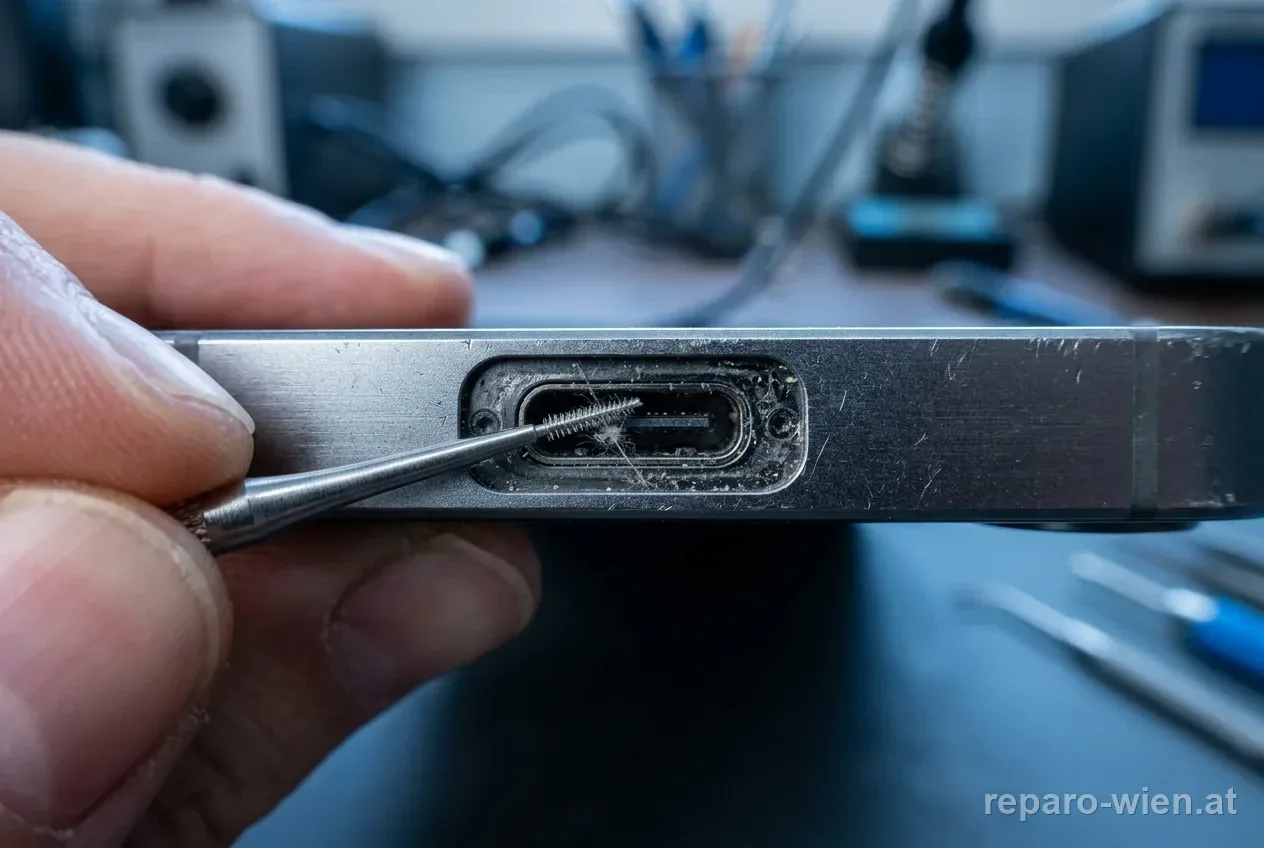
A loose connector is not just inconvenient. Every micro-movement interrupts the current, and each interruption produces a tiny arc at the contact. That burns the surface, raises resistance, and resistance turns into heat exactly where the socket is anchored to the board. Left long enough, a €89 job becomes board repair, because the pads under the connector lift and the traces around them cook. A plug or a socket that feels warm is the signal to stop using it rather than push it a little harder.
My laptop shows no reaction at all to the charger
Hold the power button down for a full fifteen to twenty seconds to force the machine off, then connect a charger you know works. If nothing happens at all, no light, no fan, no sound, the fault sits in the charging path rather than in the operating system. A deeply discharged battery produces exactly this picture too: the charging circuit has to build voltage again before the machine will respond, and on some models that takes several minutes on mains power before the first light appears.
One of two USB-C ports has stopped charging
On a machine with two USB-C sockets, each has its own connector and often its own small board, so one can fail while the other works perfectly. That is genuinely good news: it proves the adapter and the charging circuit are healthy and narrows the fault to a single component. Keep using the working side until we have the part. What you should not do is force a plug that no longer sits firmly, because a bent pin inside a USB-C socket turns a simple swap into a board job.
Is a charging port repair worth it, or is it time for a new laptop?
This is the easiest yes in the whole laptop trade. A socket at €89 or an adapter at €59 against a replacement machine in the hundreds is not a calculation anyone needs help with, and the rest of the notebook is usually fine: a worn charging connector says nothing about the screen, the drive or the processor. We only advise against it when the board underneath has already been cooked by months of arcing, and in that case you hear the honest number before we start.
Three ways your laptop reaches our bench
Within Vienna our courier collects the notebook at home or at the office and brings it back repaired, both journeys included in the zone price from €14.90. From any Austrian province you can post it in with insured return shipping already inside the price. Or you reserve a fixed slot and hand it over in the 22nd district. There is no open counter with opening hours, so every handover is agreed beforehand and nobody stands in a queue.
The practical pages: pickup and delivery, the send-in service and the repair process from first call to invoice. If the socket turns out to be healthy and the cell is the real problem, continue at laptop battery replacement; a broken picture belongs on laptop screen repair.
Laptop not charging in Vienna: the questions we hear daily
What does a laptop charging port repair cost in Vienna?
From €89 for a Windows notebook, covering the socket, the soldering work and six months of warranty. If only the power adapter is dead, that alone is €59. A MacBook charging board is a fixed €189. Where inside the band your machine lands depends on whether the socket sits on a cable harness or is soldered to the mainboard. The 25 EUR diagnostic check is waived on repair.
Why does a MacBook charging port cost more than a Windows one?
Because on a MacBook the charging connector is not a separate socket but part of a small board carrying the Thunderbolt or MagSafe circuitry, and that whole assembly is the spare part. Reaching it means removing the base, disconnecting the battery and freeing the cooling on some models. The fixed price for that work is €189, against a Windows socket that frequently unplugs from a short harness and starts at €89.
The charger only works if I hold it at an angle. Is the socket worn out?
Almost certainly yes, and it is worth acting on quickly. Play in the connector means the contact surfaces no longer meet cleanly, so every small movement interrupts the current and produces a tiny arc that burns the surface further. That raises resistance and generates heat right where the socket is anchored to the board. Renewing it costs €89. Waiting until the board pads lift turns it into a considerably larger repair.
What does the diagnostic check cost if the socket turns out to be fine?
The check is 25 EUR and it comes off the invoice as soon as you approve any repair. A fair number of machines arrive suspected of a broken socket and leave with a new adapter at €59 or a new battery instead, and in those cases you get the separate price before anything happens. Where liquid has been in the socket the diagnosis is 49 EUR, because the machine is stripped completely.
My laptop does not react to the charger at all. Where do I start?
Hold the power button for fifteen to twenty seconds to force the machine off, then plug in a charger you know is good. Watch the small light next to the socket: if it stays dark, no power is arriving and the fault is in the adapter, the cable or the port. A deeply discharged battery looks the same, so leave it on mains for ten minutes before deciding anything.
Is it the adapter, the cable or the port? How do you tell them apart?
By measuring each one rather than swapping parts until something works. We put the adapter under load, because a supply can read correct voltage with no cable attached and collapse the moment current is drawn. Then the socket is checked for play, burnt contacts and a bent centre pin. Finally the charging circuit on the board is measured. That order is why the quote you get is a figure and not a guess.
Do you solder the socket or sell me a whole new mainboard?
We renew the socket itself wherever the construction allows, which is the majority of cases. On machines where the connector sits directly on the mainboard, that means desoldering a multi-pin part under a microscope without lifting the surrounding pads. Selling a complete board because it is faster would multiply your bill for no benefit. If the board underneath really is damaged beyond a socket swap, you hear that plainly first.
One of my two USB-C ports has stopped charging. Can that be fixed alone?
Yes, and it is the better outcome. Each USB-C socket has its own connector and frequently its own small board, so one failing while the other charges proves the adapter and the charging circuit are healthy. We replace the dead side only. Until the part arrives, use the working port and stop forcing plugs into the broken one, because a bent pin inside the socket enlarges the job considerably.
How long does a charging port repair take in your workshop?
A socket on a cable harness is done inside an hour. One soldered onto the mainboard takes two to four hours, because the board has to come out, be preheated and worked under a microscope. A Surface takes longest, since the display is heated out before the socket is even visible. Most machines go back the next working day when the connector for your model is on the shelf.
Will I lose data during a charging port repair?
No. The storage drive stays in the machine and nothing is reinstalled or reset, so your files, programmes and saved logins come back exactly as they were. A current backup before any hardware work is still good practice. The only case where nobody can promise a clean result in advance is a board that has suffered liquid damage or long-term overheating around the charging circuit.
Liquid got into the charging socket. Is that still repairable?
Often yes, but the clock is running. Leave the charger out and the machine switched off; powering it up drives current through wet contacts and spreads the damage. Corrosion around a charging connector is particularly stubborn because the pins carry the highest current in the machine. Board cleaning starts at €99 and the liquid diagnosis is 49 EUR. Rice and hairdryers achieve nothing except giving the corrosion more time.
Do you collect the laptop in Vienna for charging socket work?
Yes, from your flat, a shared apartment or an office reception. The zone price is €14.90, €17.90 or €18.90 depending on the district, and the return journey after the repair is already inside that figure. Please send the charger along with the machine, because testing your own adapter under load is one of the first measurements we make and it often shortens the whole diagnosis.
Can I post a laptop that will not charge from another province?
Yes, from anywhere in Austria, and the insured return shipping is part of the price. Pack the machine in a firm box with generous padding and put the power adapter and cable in with it, since that lets us rule out the cheapest fault immediately. Add a note describing whether the charge light reacts at all. We ring you with the price before any soldering iron is switched on.
Can I hand the laptop over in person for the charging port?
Yes, at a slot booked in advance, in the 22nd district. We keep no walk-in counter with opening hours, because working by appointment means somebody is actually there and your machine goes onto the bench right away. The exact address arrives with the confirmation. Coming in person is never required, though: the courier and the postal route lead to the same workshop and the same prices.
What warranty covers a new charging socket?
Six months on the socket and on the soldering, valid across Austria including machines that arrived by post. If play returns, the connector stops taking a charge or the contact heats up again inside that window, we put it right at no cost to you. Fresh mechanical damage afterwards, such as a plug pulled sideways out of the socket, is not covered. Call us before you open the machine yourself.
Charging faults: symptom, likely home and price
| What you notice | Where the fault sits | Our step | Price |
|---|---|---|---|
| Charges only at one angle | Worn or loose socket | Connector renewed, board pads inspected | from €89, MacBook €189 |
| No light, no reaction at all | Adapter, cable or a deeply flat cell | Adapter measured under load first | adapter €59, socket from €89 |
| Charge light blinks in a pattern | Firmware reporting a fault code | Code read out, then the cause priced | 25 EUR check, waived on repair |
| One of two USB-C ports dead | That single connector or its small board | Only the failed side replaced | from €89 |
| Plug or socket gets warm | Burnt contact surface, rising resistance | Stop using it, socket renewed quickly | from €89 |
| Charges only while switched off | Charging circuit cannot meet the load | Board measured, then a separate quote | 25 EUR check, waived on repair |
The model name is printed on the sticker underneath, and the wattage is printed on the power adapter itself. Both numbers together let us confirm the right socket on the first call.
Laptop not charging? The socket starts at €89
Windows charging sockets from €89 · Power adapter €59 · MacBook USB-C or MagSafe €189 · Diagnostic check 25 EUR, waived on repair · Pickup in Vienna, send-in from all of Austria, drop-off by appointment
Other laptop repairs: Screen replacement· Battery replacement· Keyboard repair· MacBook battery
By brand: Laptop repair hub· Lenovo· HP· Dell· Asus· Acer· MSI· Surface· MacBook
How it works: Pickup and delivery· Send-in service· Repair process· Book an appointment· Contact